


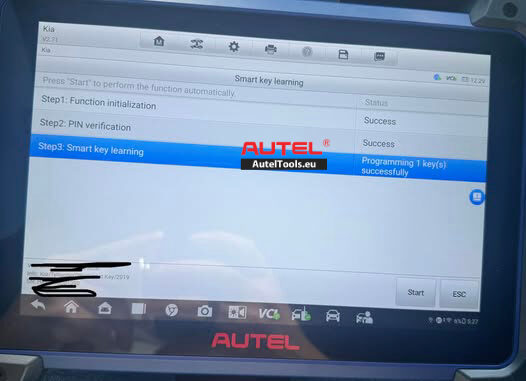
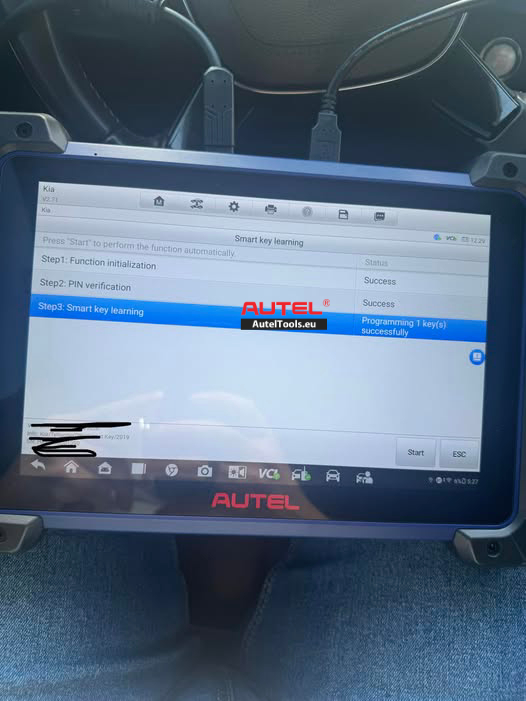
Programmed a dealer-supplied smart key using Autel IM608 Pro II.
* PIN read successfully
* PIN verified successfully
* Smart key learned successfully (1 key stored)
* No DTCs found
Issue:
* Vehicle cranks normally but will not start
* Theft/security light stays on
* Key programming shows completed successfully
Solution
Based on the Autel IM608 Pro II logs and the symptom description (engine cranks, security light stays on), this is a classic immobilizer activation scenario. The system recognizes a key has been programmed but fails to authenticate it for engine start, typically due to a synchronization error or incorrect key specification.
Here is a step-by-step diagnostic and resolution plan
🔍 Step 1: Verify the Smart Key Part Number
The 2019 Kia Telluride requires a specific smart key. Using a key with an incorrect frequency or chip will cause exactly this issue.
The correct part number for the 2019-2020 Telluride is 95440-S9110 (433MHz, 4 buttons, with a Hitag 3 and NCF29A1X transponder chip) .
Double-check that the key you used matches this specification. Another OEM part number for the early Telluride is 95440-S9100, but it is always best to confirm compatibility by VIN before proceeding .
🔧 Step 2: Perform a Hard Reset and Re-sync
The immobilizer system may not have completed the synchronization between the SMK (Smart Key Module) and the ECM (Engine Control Module). This is a known procedure for Kia/Hyundai vehicles .
Disconnect the vehicle’s battery for approximately 10 minutes. This can reset the modules and clear any transient faults. Reconnect it afterward.
Attempt the key learning sequence again with the Autel IM608 Pro II.
Navigate to IMMO > Kia > Manual selection > America > Telluride(ON) > 2019- > Smart key .
Go to Smart Key Programming.
The system will erase all existing keys. After entering the PIN (which you already have), the tool will prompt you to “Use the back or top of the smart key to hold down the START button for 5s until the anti-theft lamps flash” .
Pay close attention: If the operation fails with a prompt, you may need to remove the key case and re-execute the step to ensure the chip is read properly
⚙️ Step 3: Check for Module Synchronization
If the re-learning fails, the issue may lie with the SMK or ECM not being synchronized after key programming.
On the Autel IM608 Pro II, look for a function under the IMMO menu for “ECU/Module Reset” or “Synchronization” . This function can force the SMK and ECM to re-sync their immobilizer data.
🛡️ Step 4: Address the “Anti-Scan Mode”
Some later Kia/Hyundai models have an “Anti-Scan Mode” that can interfere with programming non-OEM or universal keys, causing the tool to read the PIN but fail to finalize the learning process . If you are using an aftermarket key, trying an OEM key might resolve this.
🔋 Step 5: Perform a System-Wide Diagnostic Check
Check for DTCs in all modules (especially the ECM, SMK, and BCM). Even if no DTCs are present in the initial scan, running a full system diagnostic after the attempted key learning might reveal a pending or stored code in another module .
Investigate the battery and power supply, as fluctuating voltage can cause communication errors between the modules. A loose battery connection has been known to cause complex ECU-related starting issues on the Telluride
Summary
The most likely cause is that the immobilizer function did not finalize the handshake between the newly learned key and the vehicle’s ECM. Completing the manual key learning sequence as described in Step 2 is critical and is the known successful procedure for this vehicle. If this fails on an aftermarket key, try an OEM part (95440-S9110).
For more technican support ,please contact
Jenny
Whatsapp:+86 19947637411
Email: Sales@AutelTools.eu
Leave a Reply