


Autel IM508 VW IMMO4 NEC23C42 Service Mode AKL with Godiag GT110
Tutorial: VAG IMMO4 UDS eeprom NEC24C32 or NEC24C64 service mode all keys lost programming with Autel IM508/IM608 and Godiag GT110 pogo pin cable on bench mode
Used Device:
Autel IM508/IM608
Godiag GT110/or GT115 with pogo pin (GT115 is the update version of GT110)
Autel XP400 PRO
Autel G-box3
New Blank Key(here use KD B remote)
Main Steps:
1. Read IMMO data (service mode with G-box)
2. Make dealer key
3, Learn key
Procedure:
Preparation:
Save ABS data first. It is a must on the vehicle by OBD before removing the cluster. Going into service mode doesn’t require but always good to back up.
Then remove the cluster from vehicle and disassemble the cluster.
Step1: Read immo data service mode
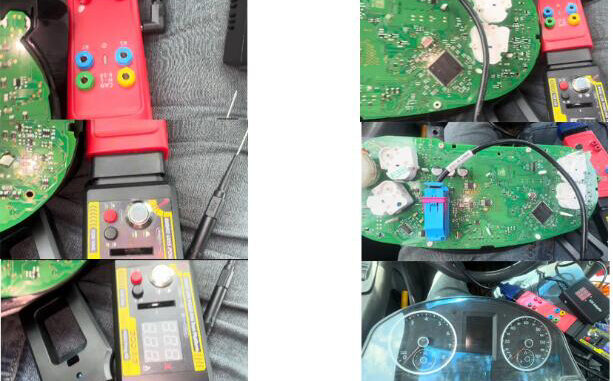
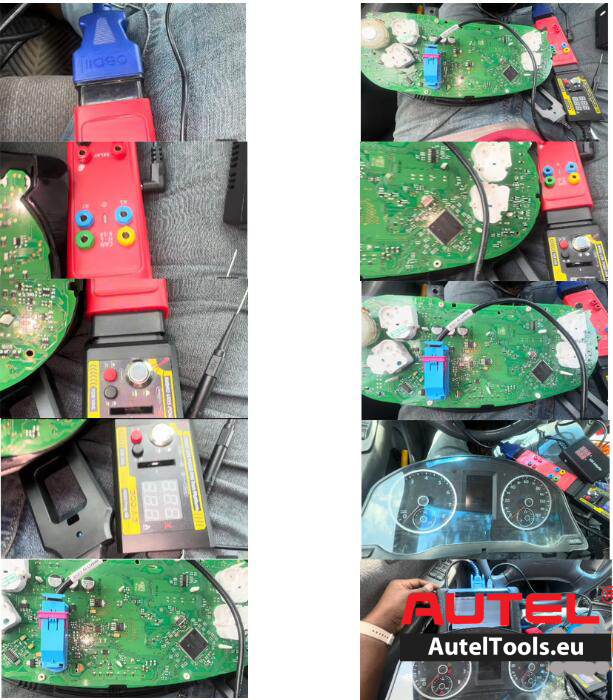
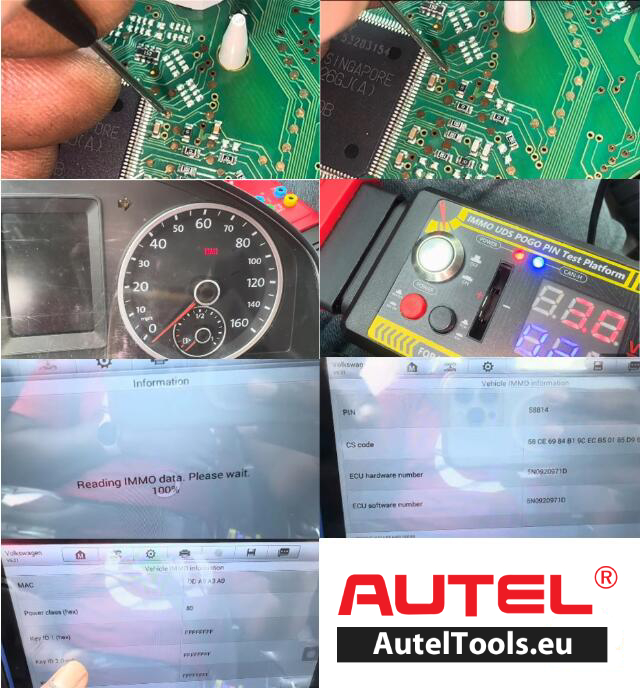
Connect Autel IM508,XP400 PRO, Gbox,Godiag GT110 with cluster as picture below. Also requires connecting a 12v DC power supply to Gbox
In IM508, choose Expert selection-IMMO IV-IMMO IV instrument CAN-Auto detect
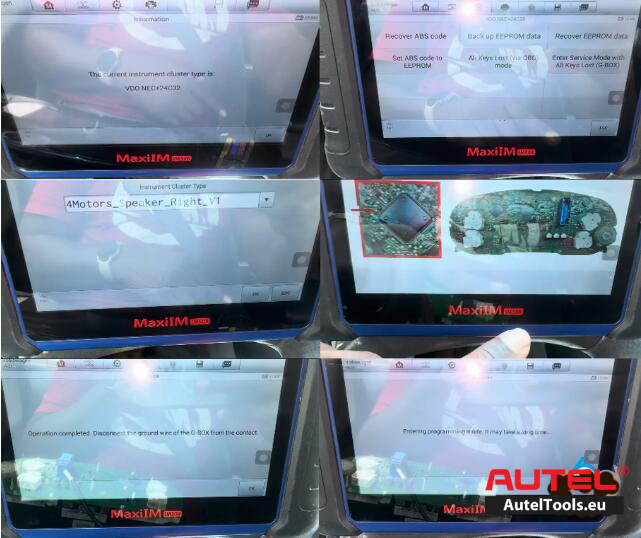
Note: Need to turn on ignition switch on GT100; otherwise device may not auto detect cluster type. IM508 detects cluster as VDO NEC+24C32
Select Enter Service Mode with All Keys Lost (G-box)
IMMO data can be directly read after this function is performed when all keys lost
Choose instrument cluster type
IM508 will show you wiring diagram
We already set up with godiag gt100
Click OK to communicate with vehicle
Start Enter programming mode.
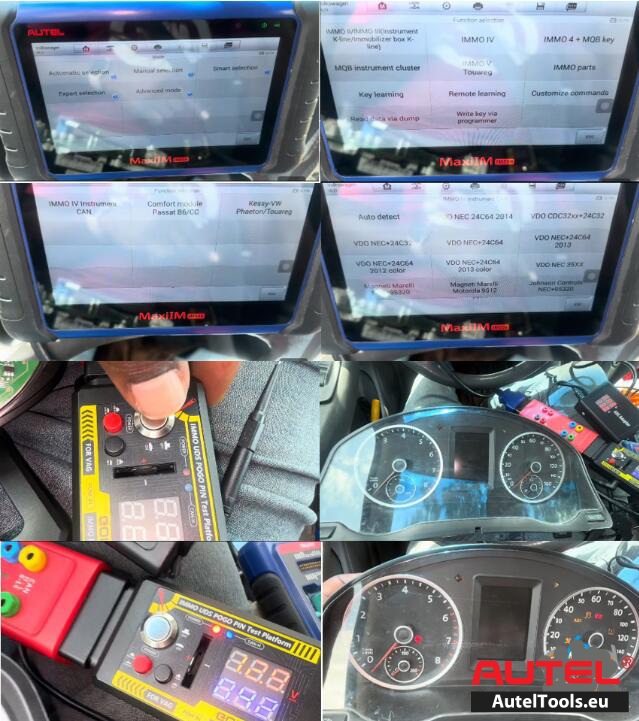
Kindly NOte: Before entering programming mode, you need to set the pogo pin needle on the appropriate pad before you switch the ignition on; otherwise may fail to enter programming mode
In order to successfully enter service mode, you must connect the pogo pin needle on the cluster pad.
Check: Pogo PIN positions
Reading IMMO Data
Reading immo data successfully. Autel will give you CS, PIN and key information
Step2: Make Dealer Key
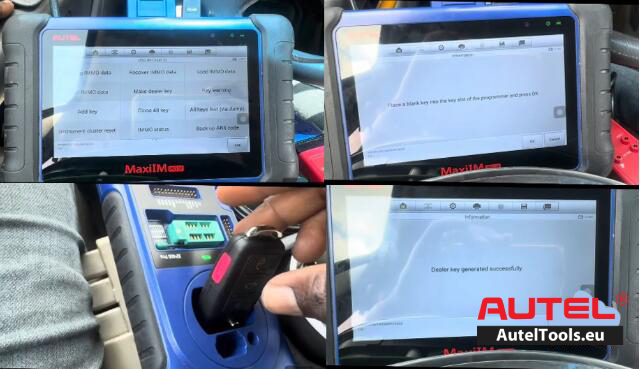
Go back to VDO 24C42 menu
Select Make dealer key.
Place a blank key into the key slot of XP400 PRO
Generate dealer key successfully
Step 3: Learn Key
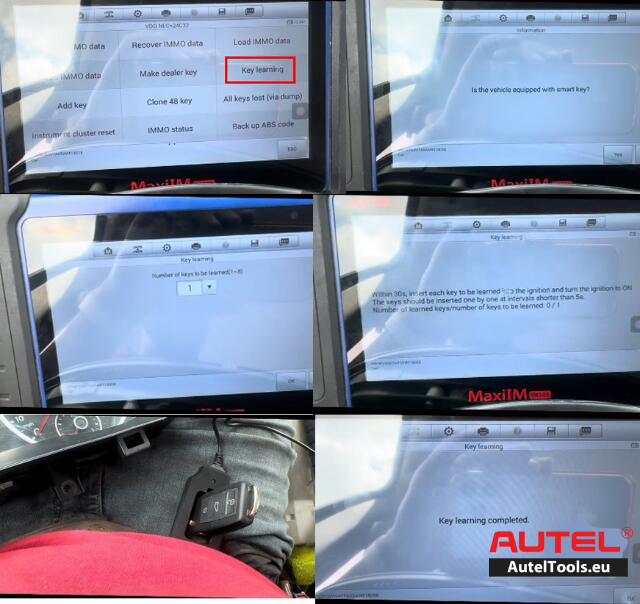
Select Key learning function
IM508 w ill ask if the vehicle with smart key.
Here select No.
Input the number of keys to be learned: 1.
Insert each key to be learned into the ignition and turn the ignition ON within 30s.
If learn key fails, you need to switch ignition OFF and back ON (of GT110)
Learn key completed
Turn off the ignition and wait for 5s, then turn the ignition to ON position.
Assemble the instrument cluster and put back to vehicle.
Test the new keys.
Leave a Reply